Results for
Windows 10
Windows 10 Insider Preview 17733 (RS5) to Fast Ring released

Reviewed by
Jasa Hosting Dan Domain
on
August 08, 2018
Rating:
5
Windows 10 Insider Preview 17730 (RS5) to Fast Ring released

Reviewed by
Jasa Hosting Dan Domain
on
August 04, 2018
Rating:
5
Windows 10 June 2018 Bug Bash badge released

Reviewed by
Jasa Hosting Dan Domain
on
August 04, 2018
Rating:
5
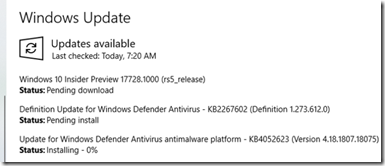
Windows 10 Insider Preview 17728 (RS5) to Fast Ring released

Reviewed by
Jasa Hosting Dan Domain
on
July 31, 2018
Rating:
5
Decrypt Windows 10 BitLocker enabled HDD
![Decrypt Windows 10 BitLocker enabled HDD]()
Reviewed by
Jasa Hosting Dan Domain
on
July 29, 2018
Rating:
5
Windows 10 (1803) - Explorer keep auto start or non responding after upgrade to .167

Reviewed by
Jasa Hosting Dan Domain
on
July 28, 2018
Rating:
5
Windows 10 Insider Preview 17723 (RS5) to Fast Ring and 18204 (19H1) to Skip Ahead released

Reviewed by
Jasa Hosting Dan Domain
on
July 26, 2018
Rating:
5
Windows 10 Insider Preview 17713 (RS5) Cumulative Update released

Reviewed by
Jasa Hosting Dan Domain
on
July 24, 2018
Rating:
5
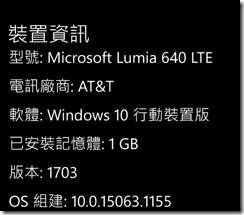
The 2018-07 Update for Windows 10 Version 1703 for arm-based Phone Devices have been released on my Lumia 640

Reviewed by
Jasa Hosting Dan Domain
on
July 13, 2018
Rating:
5
Windows 10 Insider Preview (RS5) Build 17713 for PC released on Fast Ring

Reviewed by
Jasa Hosting Dan Domain
on
July 11, 2018
Rating:
5
Windows 10 Insider Preview (RS5) Build 17711 for PC released on Fast Ring

Reviewed by
Jasa Hosting Dan Domain
on
July 06, 2018
Rating:
5
Windows 10 Insider Preview (RS5) Build 17704 for PC released on Fast Ring

Reviewed by
Jasa Hosting Dan Domain
on
June 27, 2018
Rating:
5
The 2018-06 Update for Windows 10 Version 1703 for arm-based Phone Devices have been released on my Lumia 640

Reviewed by
Jasa Hosting Dan Domain
on
June 25, 2018
Rating:
5
Windows 10 Insider Preview (RS5) Build 17692 for PC released on Fast Ring

Reviewed by
Jasa Hosting Dan Domain
on
June 14, 2018
Rating:
5
Antivirus (Endpoint security) being check before feature update 1803 on Windows 10 (A error will occur and stop the upgrade)

Reviewed by
Jasa Hosting Dan Domain
on
June 13, 2018
Rating:
5
Reinstall Windows 10 on Chuwi Vi8 Plus

Reviewed by
Jasa Hosting Dan Domain
on
June 08, 2018
Rating:
5