Seo Services
Results for Android

Microsoft Edge on Android able to download in Google Play (Hong Kong) finally

Microsoft Edge on Android able to download in Google Play (Hong Kong) finally Microsoft Edge on Android able to download in Google Play (Hong Kong) finally Reviewed by Jasa Hosting Dan Domain on July 07, 2018 Rating: 5

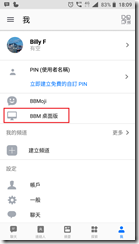
BBM Desktop Beta – web.bbmessaging.com available for ALL users now – Android only

BBM Desktop Beta – web.bbmessaging.com available for ALL users now – Android only BBM Desktop Beta – web.bbmessaging.com available for ALL users now – Android only Reviewed by Jasa Hosting Dan Domain on June 10, 2018 Rating: 5

Use a Onda V80 (Android 7.0) to build a kid Android Tablet

April 30, 2018


image


The high level steps at the following:

1. Create a new Google account for this tablet

2. Remove or disable not in use apps

3. Setup Parental Controls on Google Play (https://support.google.com/googleplay/answer/1075738?hl=en)

4. Creating and Using Restricted Profiles to control which apps able to run under the kids account (https://www.wikihow.tech/Set-Up-Parental-Controls-in-Android)

5. Enable Restricted Mode on YouTube Apps (https://support.google.com/youtube/answer/174084?co=GENIE.Platform%3DAndroid&hl=en)

(I didn't sign-in google account, it also able to enable restricted mode on the apps)


Reference:

https://www.techadvisor.co.uk/how-to/google-android/how-use-android-parental-controls-3461359/

http://tabletmonkeys.com/onda-v80-8-inch-android-7-0-tablet-for-73-launch-january-7/

https://kknews.cc/zh-hk/digital/y2yrjlk.html

Use a Onda V80 (Android 7.0) to build a kid Android Tablet Use a Onda V80 (Android 7.0) to build a kid Android Tablet Reviewed by Jasa Hosting Dan Domain on April 30, 2018 Rating: 5

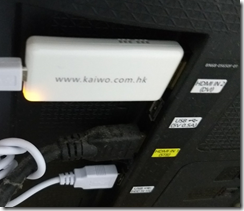
Kaiwo MS-03 - Miracast (Enable it by click the "WPA" button)

December 25, 2017


image

image

image


image


By default it will running to provide DLNA and AIRPLAY

image

Click the "WPA" button, it will switch to Miracast

image


The Miracast work well on my Samsung Notes 2 (Android 4.4.2) and Microsoft Lumia 640 (Windows 10 Mobile 1703)

image

But not work on my Samsung Note 4 (Android 6), it seems that due to Google drop Android support Miracast since Android 6

Reference : https://www.pcworld.com/article/2907520/streaming-media/how-to-use-miracast-to-mirror-your-devices-screen-wirelessly-on-your-tv.html


I already try three laptop running on Windows 10 (1607) and (1709) but failed to use Miracast.... And also, my iPad running on iOS 10.3.3, the AirPlay should work with this device, but it still failed ......


I try to search any firmware upgrade of this device but no luck. My device is running on firmware 1.1.9


Reference:

https://www.hktvmall.com/hktv/zh/main/DayDayTouch/s/H5520001/%E6%95%B8%E7%A2%BC%E6%B6%88%E9%96%92/%E9%9B%BB%E5%AD%90-%E6%95%B8%E7%A2%BC-%E9%9B%BB%E5%99%A8/%E5%BD%B1%E9%9F%B3%E7%94%A2%E5%93%81/%E5%AE%B6%E5%BA%AD%E5%BD%B1%E9%9F%B3/%E9%9B%BB%E8%A6%96%E4%B8%B2%E6%B5%81%E6%8E%A5%E6%94%B6%E5%99%A8-MS03-%E6%9B%B4%E6%96%B0%E7%89%88-%E7%99%BD%E8%89%B2/p/H5520001_S_MS-03W

Kaiwo MS-03 - Miracast (Enable it by click the "WPA" button) Kaiwo MS-03 - Miracast (Enable it by click the "WPA" button) Reviewed by Jasa Hosting Dan Domain on December 25, 2017 Rating: 5
ads 728x90 B
Powered by Blogger.