Results for
RS5
Windows 10 Insider Preview 17733 (RS5) to Fast Ring released

Reviewed by
Jasa Hosting Dan Domain
on
August 08, 2018
Rating:
5
Windows 10 Insider Preview 17730 (RS5) to Fast Ring released

Reviewed by
Jasa Hosting Dan Domain
on
August 04, 2018
Rating:
5
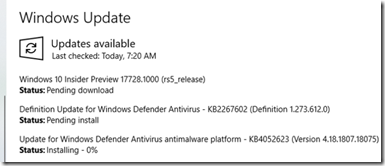
Windows 10 Insider Preview 17728 (RS5) to Fast Ring released

Reviewed by
Jasa Hosting Dan Domain
on
July 31, 2018
Rating:
5
Windows 10 Insider Preview 17723 (RS5) to Fast Ring and 18204 (19H1) to Skip Ahead released

Reviewed by
Jasa Hosting Dan Domain
on
July 26, 2018
Rating:
5
Windows 10 Insider Preview 17713 (RS5) Cumulative Update released

Reviewed by
Jasa Hosting Dan Domain
on
July 24, 2018
Rating:
5
Windows 10 Insider Preview (RS5) Build 17713 for PC released on Fast Ring

Reviewed by
Jasa Hosting Dan Domain
on
July 11, 2018
Rating:
5
Windows 10 Insider Preview (RS5) Build 17711 for PC released on Fast Ring

Reviewed by
Jasa Hosting Dan Domain
on
July 06, 2018
Rating:
5
Windows 10 Insider Preview (RS5) Build 17704 for PC released on Fast Ring

Reviewed by
Jasa Hosting Dan Domain
on
June 27, 2018
Rating:
5
Windows 10 Insider Preview (RS5) Build 17692 for PC released on Fast Ring

Reviewed by
Jasa Hosting Dan Domain
on
June 14, 2018
Rating:
5
Windows 10 Insider Preview (RS5) Build 17686 for PC released on Fast Ring

Reviewed by
Jasa Hosting Dan Domain
on
June 06, 2018
Rating:
5
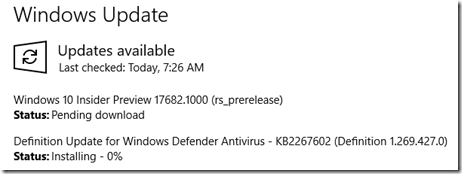
Windows 10 Insider Preview (RS5) Build 17682 for PC released on Fast Ring

Reviewed by
Jasa Hosting Dan Domain
on
June 02, 2018
Rating:
5
Windows 10 Insider Preview (RS5) Build 17677 for PC released on Fast Ring

Reviewed by
Jasa Hosting Dan Domain
on
May 24, 2018
Rating:
5
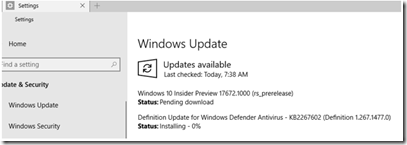
Windows 10 Insider Preview (RS5) Build 17672 for PC released on Fast Ring

Reviewed by
Jasa Hosting Dan Domain
on
May 20, 2018
Rating:
5
Windows 10 Insider Preview (RS5) Build 17666 for PC released on Fast Ring

Reviewed by
Jasa Hosting Dan Domain
on
May 10, 2018
Rating:
5
Windows 10 Insider Preview (RS5) Build 17661 for PC released on Skip ahead and Fast Ring

Reviewed by
Jasa Hosting Dan Domain
on
May 06, 2018
Rating:
5
Windows 10 Insider Preview (RS5) Build 17650 for PC released on Skip ahead

Reviewed by
Jasa Hosting Dan Domain
on
April 19, 2018
Rating:
5
Windows 10 Insider Preview (RS5) Build 17643 for PC released on Skip ahead

Reviewed by
Jasa Hosting Dan Domain
on
April 14, 2018
Rating:
5
Windows 10 Insider Preview (RS5) Build 17639 for PC released on Skip ahead

Reviewed by
Jasa Hosting Dan Domain
on
April 04, 2018
Rating:
5
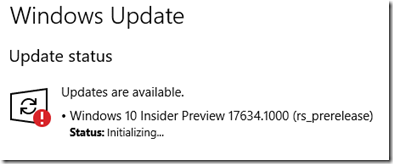
Windows 10 Insider Preview (RS5) Build 17634 for PC released on Skip ahead

Reviewed by
Jasa Hosting Dan Domain
on
April 01, 2018
Rating:
5
How to download Windows 10 Insider builds after Skip Ahead is closed

Reviewed by
Jasa Hosting Dan Domain
on
March 16, 2018
Rating:
5